Insights • Workflow Automation
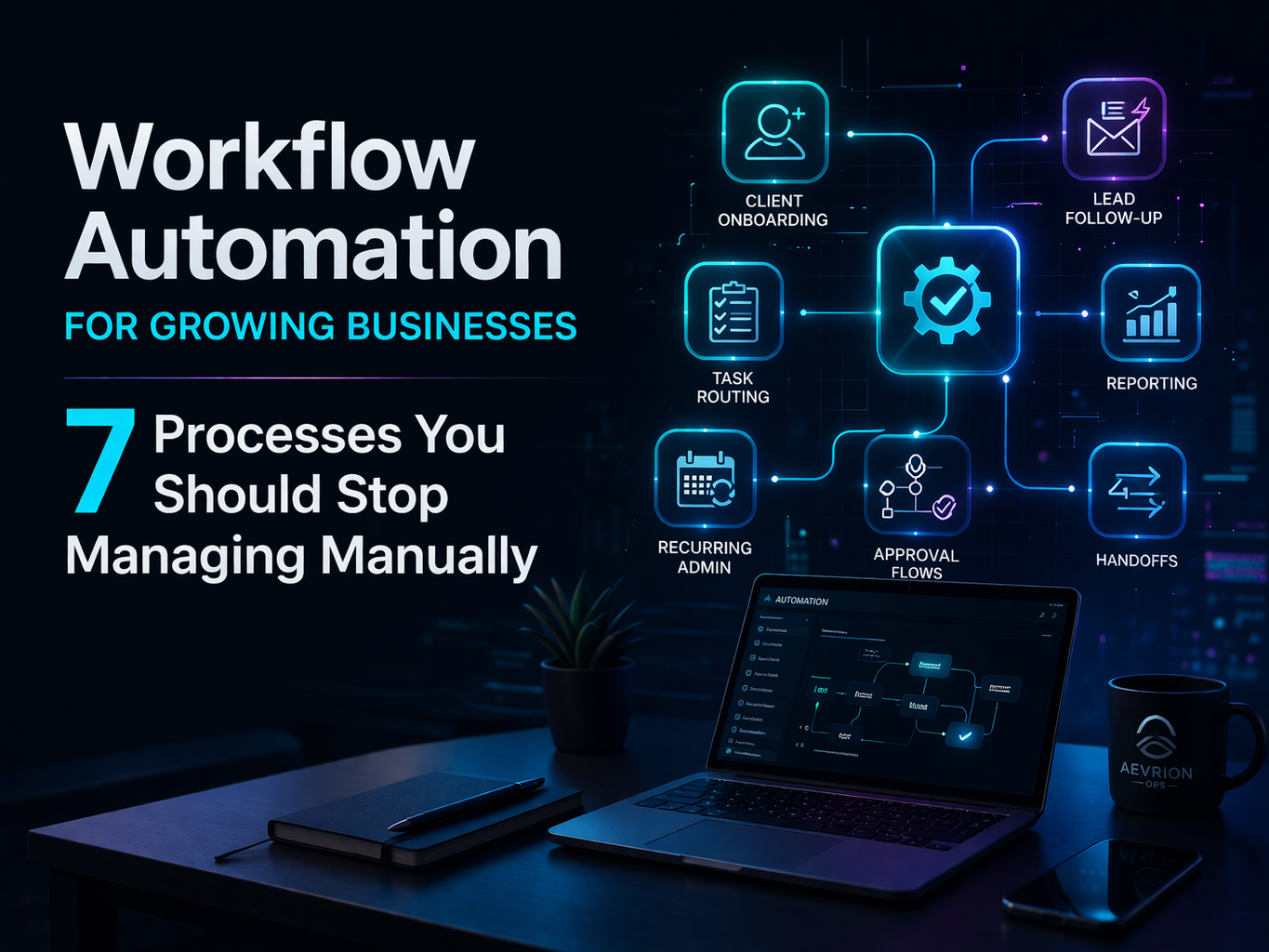
Workflow Automation for Growing Businesses: 7 Processes You Should Stop Managing Manually
Growing businesses often assume they need more people before they need better systems. In reality, many teams are not short on effort. They are short on operational flow. Workflow automation helps remove repeated manual handling from the business so work moves faster, cleaner, and with less friction.
For growing companies, repeated operational tasks can quietly become one of the biggest barriers to momentum. Teams end up spending too much time chasing follow-ups, moving information manually, updating the same records in multiple places, and keeping basic processes alive through reminders instead of systems.
Workflow automation does not mean removing people from the business. It means removing avoidable manual steps so people can focus on work that requires judgment, communication, and execution quality. Here are seven processes growing businesses should stop managing manually.
1. Client onboarding
Client onboarding is one of the first places where operational friction shows up. Many teams still handle it through scattered emails, manually created folders, repeated welcome messages, and checklist updates done one by one. That slows down the start of the relationship and increases the chance of missing critical steps.
A better system can automatically trigger welcome emails, create internal tasks, assign owners, organize folders, and push onboarding details into your CRM or project management system as soon as the client says yes.
Why automate it
Faster onboarding creates a stronger first impression, reduces errors, and helps the internal team start delivery with more clarity.
2. Lead follow-up
Leads go cold when follow-up depends too heavily on memory and manual effort. If someone fills out a form, downloads something, asks a question, or books a call, there should be a reliable system behind what happens next.
Workflow automation can route leads, trigger confirmation emails, create follow-up tasks, notify the right team member, and update your pipeline automatically. That reduces lag and increases the chance of converting interest into a real opportunity.
3. Internal task routing
As businesses grow, work starts coming from more directions. Sales hands things to delivery. Clients request changes. Managers assign tasks. Operations moves recurring work around. Without automated routing, teams spend unnecessary time deciding where work goes and who owns it next.
Workflow automation can assign tasks based on rules, priorities, departments, or service type. It can also create dependencies so one completed step automatically triggers the next. That creates smoother internal movement and better accountability.
4. Reporting and updates
A surprising amount of time gets lost in manual reporting. Pulling updates from different tools, formatting them, sending them to stakeholders, and repeating the same reporting cycle every week or month creates drag that most teams underestimate.
Automation can collect data, trigger reminders for missing inputs, distribute status updates, and support recurring reporting workflows with far less manual coordination. That gives leaders better visibility without forcing teams to stop working just to explain the work.
5. Recurring admin workflows
Recurring administrative tasks are often the first place where operational inefficiency hides in plain sight. Things like collecting forms, sending reminders, updating logs, issuing recurring requests, and keeping internal records current can consume time every week without anyone questioning the system.
Automating recurring admin workflows creates immediate relief. Even simple automation rules can reduce repeated manual work, improve consistency, and prevent forgotten tasks from piling up quietly in the background.
6. Approval flows
Approvals become bottlenecks when they depend on casual messages, missing context, or unclear ownership. Whether it is content approval, proposal approval, budget approval, or internal sign-off, manual approval handling often causes invisible delays.
Workflow automation can centralize approval requests, notify the right person, escalate if needed, and keep a clear record of decisions. That reduces waiting time and makes internal processes more reliable.
7. Handoff processes
Handoffs are one of the most overlooked automation opportunities in growing businesses. Work often breaks down not because people are weak, but because transitions between people, departments, or stages are handled inconsistently.
A strong automation layer makes handoffs cleaner. It can push required information forward, assign the next owner, trigger the next set of tasks, and make sure nothing gets lost between sales, operations, delivery, and support.
How to know what to automate first
The best workflows to automate first are not always the most complex. They are usually the ones that happen frequently, require repeated manual handling, create delays when forgotten, or slow down important movement across the business.
- Processes repeated weekly or daily
- Steps that rely on reminders or memory
- Tasks with frequent delays or missed handoffs
- Workflows involving multiple tools or people
- Admin-heavy processes with little strategic value
In many cases, workflow automation is not about building something complicated. It is about building something consistent.
Automation should support execution, not complicate it
One mistake businesses make is automating too much too fast, or building workflows that are harder to manage than the original problem. Good automation should create more clarity, not more confusion. It should make work easier to move, easier to track, and easier to maintain.
That is why growing businesses often need not only workflow automation, but also automation support and stronger technical execution around the systems that make those workflows possible.
Final thought
If your team is still managing client onboarding, lead follow-up, task routing, reporting, recurring admin work, approvals, and handoffs manually, the issue is probably not effort. It is structure. Workflow automation gives growing businesses a way to reduce friction, improve consistency, and create more reliable movement across the business.
Done well, automation helps your team work smarter without making the business harder to run.
Frequently asked questions
What is workflow automation?
Workflow automation is the use of systems, triggers, and rules to reduce manual handling across repeated business processes so work moves more consistently and efficiently.
What should a growing business automate first?
Start with workflows that happen often, create delays when forgotten, rely heavily on manual follow-up, or affect important movement across the business such as onboarding, lead follow-up, task routing, and reporting.
Can workflow automation help small businesses?
Yes. Small and growing businesses often benefit the most because automation reduces operational drag without requiring immediate in-house expansion.
Is workflow automation the same as automation support?
Not exactly. Workflow automation focuses on the automated process itself. Automation support is broader and can include operational support around how automation is maintained, improved, and aligned with the wider business system.
Need support?
Build cleaner workflows before manual work slows growth
Aevrion Ops helps growing businesses improve execution through Workflow Automation, Automation Support, Technical Execution, and stronger Remote Operations.